> For the complete documentation index, see [llms.txt](https://blog.yes-but-no.org/llms.txt). Markdown versions of documentation pages are available by appending `.md` to page URLs; this page is available as [Markdown](https://blog.yes-but-no.org/ybn-ctf-2024/infra.md).
# YBN CTF 2024 - Hosting The Infrastructure
### Introduction
The YBN team is back for our 2nd YBN CTF. YBN CTF 2024 took place over 36 hours from 29th November 9 am to 30th November 9 pm.
YBN CTF 2024 had infrastructure running on Google Cloud, with their Kubernetes Engine and Compute Engine.
### CTF Infrastructure
Once again, we looked through various blogs on how others have hosted their CTF and reviewed our infrastructure for YBN CTF 2023.
We ended up using GCP Compute Instances and Google Kubernetes Engine.
Our main CTFd server was a e2-standard-2 instance with 2 vCPU and 8 GB of RAM while our GKE nodepool had e2-medium instances with 2 vCPU and 4 GB of RAM.
### Challenge Management
`By JacTBB`
We had previously used JusCodin's CTF-Architect CLI tool. But this year, we developed a new tool called **yCTF-Architect** by JacTBB!
yCTF-A, inspired by CTF-A is similar but also significantly different. It is a whole **challenge management platform on the web!** Allowing authors to create unstaged work-in-progress challenges that allow us to get a sense of the number and type of challenges being made. Authors then upload challenge files & details and submit challenges for review. Multiple reviewers can review and update the status of challenges. Once a challenge has been approved and marked as production, it can be deployed to CTFd and Challenge Servers. *This tool is still in continuous development and we might allow external usage of it soon!*
#### yCTF-Architect Showcase
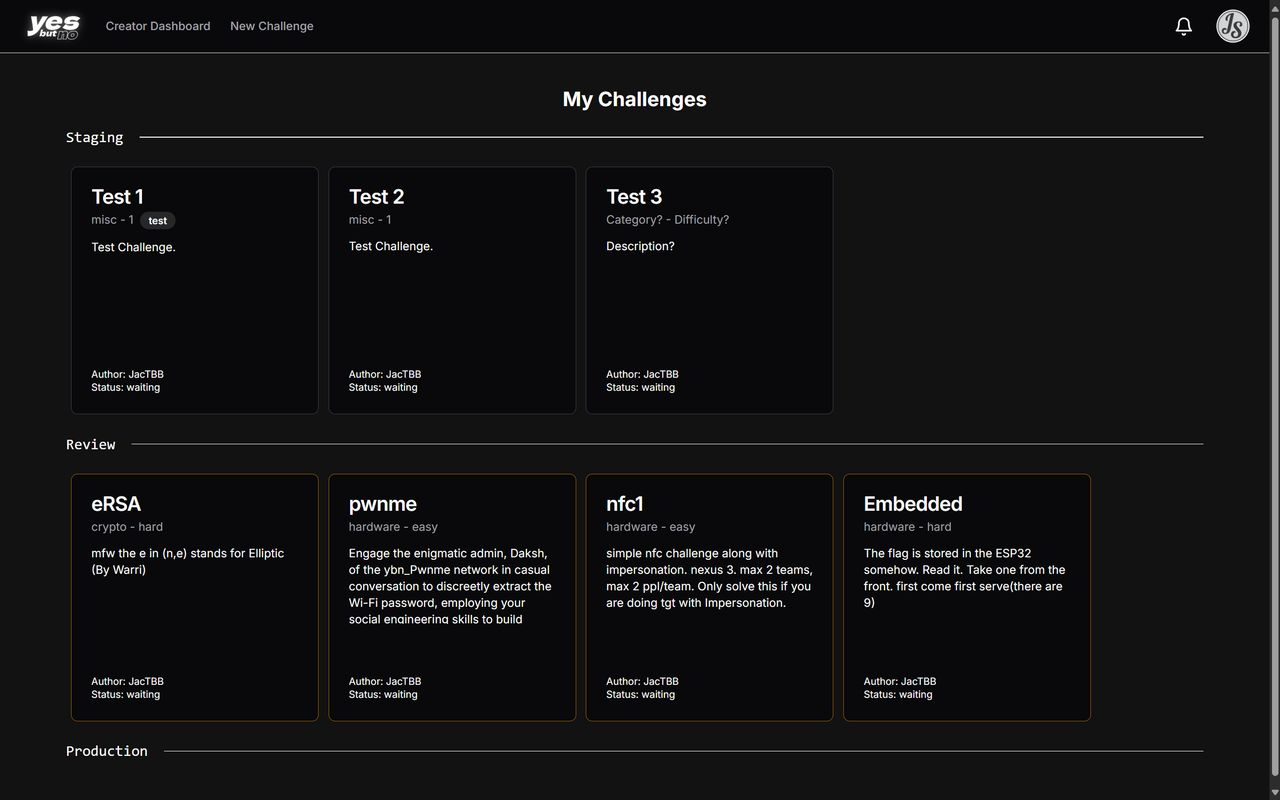
The Creator Dashboard is split into staging/work-in-progress section, under review section and production section.
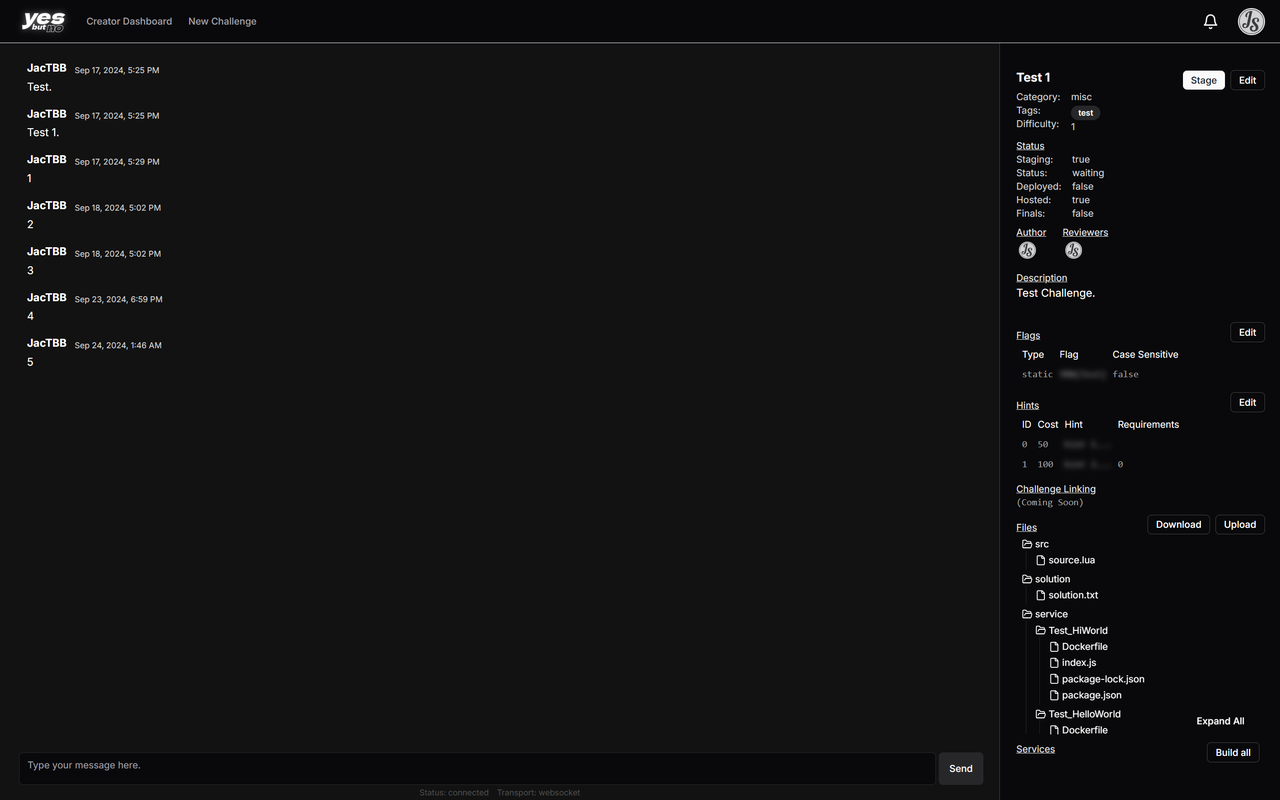
This is what the individual challenge page looks like. Featuring options to edit details, hints, flags, files & services. As well as challenge review status and a chat system to communicate with reviewers.
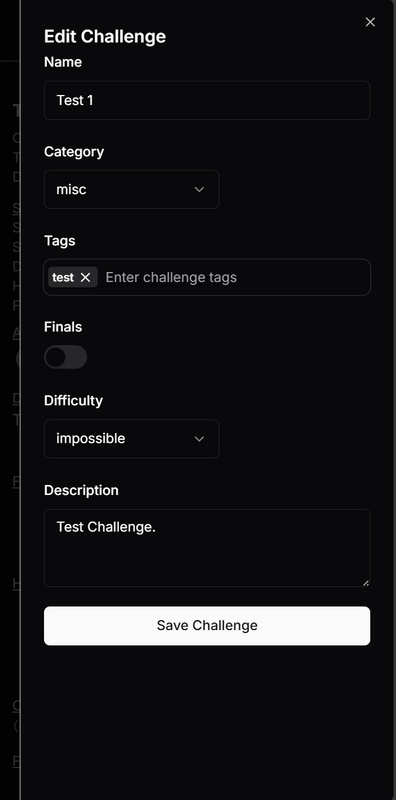
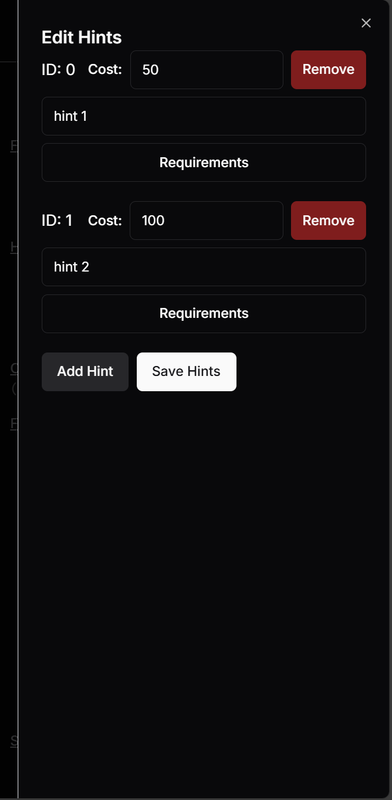
Panels to edit Details, Flags & Hints.
Panels to upload files.
#### yCTF-Architect Services
`By czlucius`
For challenges that require hosted services, we added the "Services" feature to yCTF Architect. A challenge can have multiple services, and each service has its own Docker image, a port you can specify, the type (http, none, tcp or ssh), and other options.

Each service is auto-detected from the contents they upload in the `service` directory. The challenge author can then configure port, type, and other options. Once satisfied, they can build an image, which uses [Dockerode](https://github.com/apocas/dockerode) to build the image on a remote build machine (also on GCE) via the Docker remote API. Any logs (including errors) will be shown.

Once built, the images will be pushed up to Artifact Registry for deployment later. The services themselves are stored in a table in the Postgres database.
### Challenge Deployment
#### CTFd
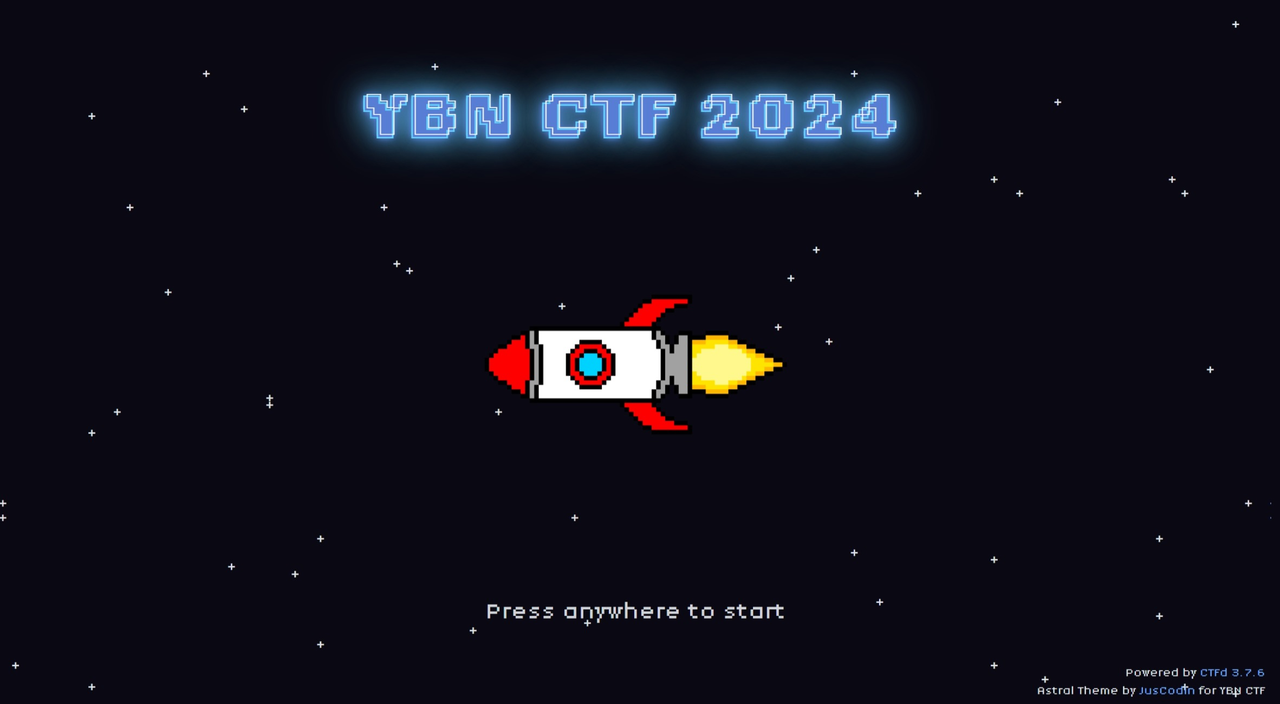
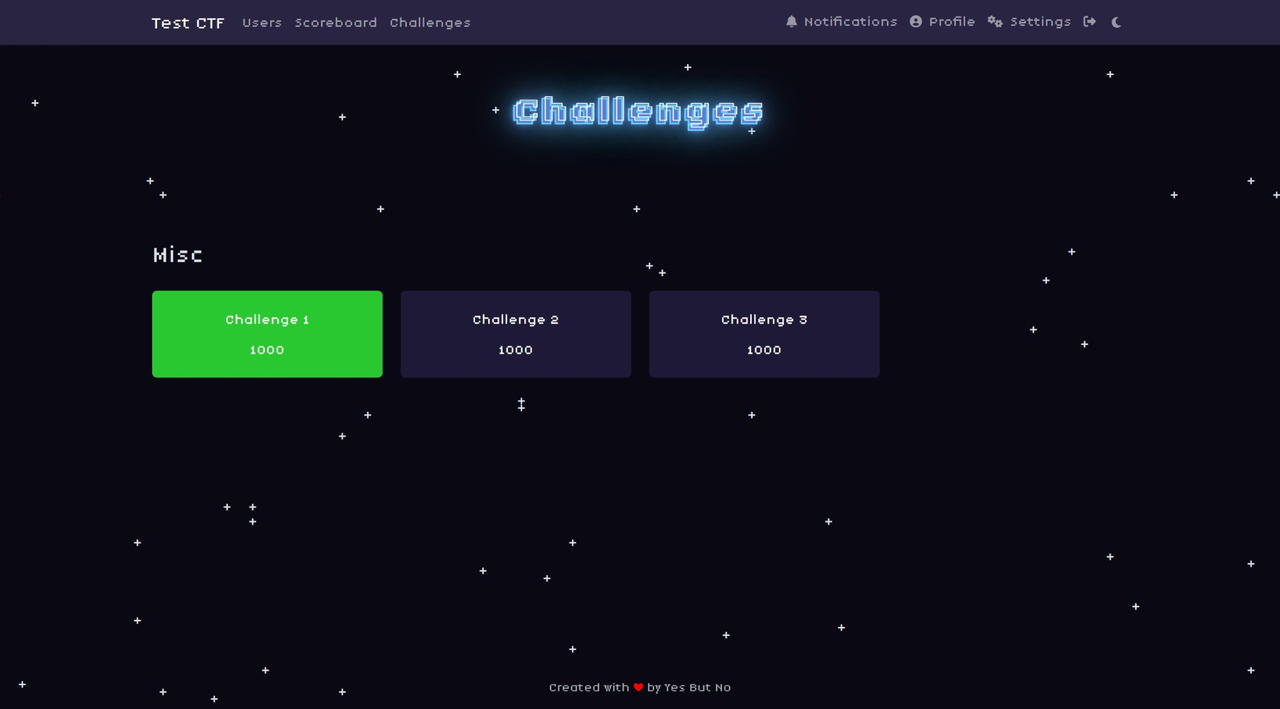
Similar to last year, we had a whole instance just for CTFd, an e2-standard-2 instance with 4 NGINX workers. We also developed our own custom theme for the CTF which you can view at
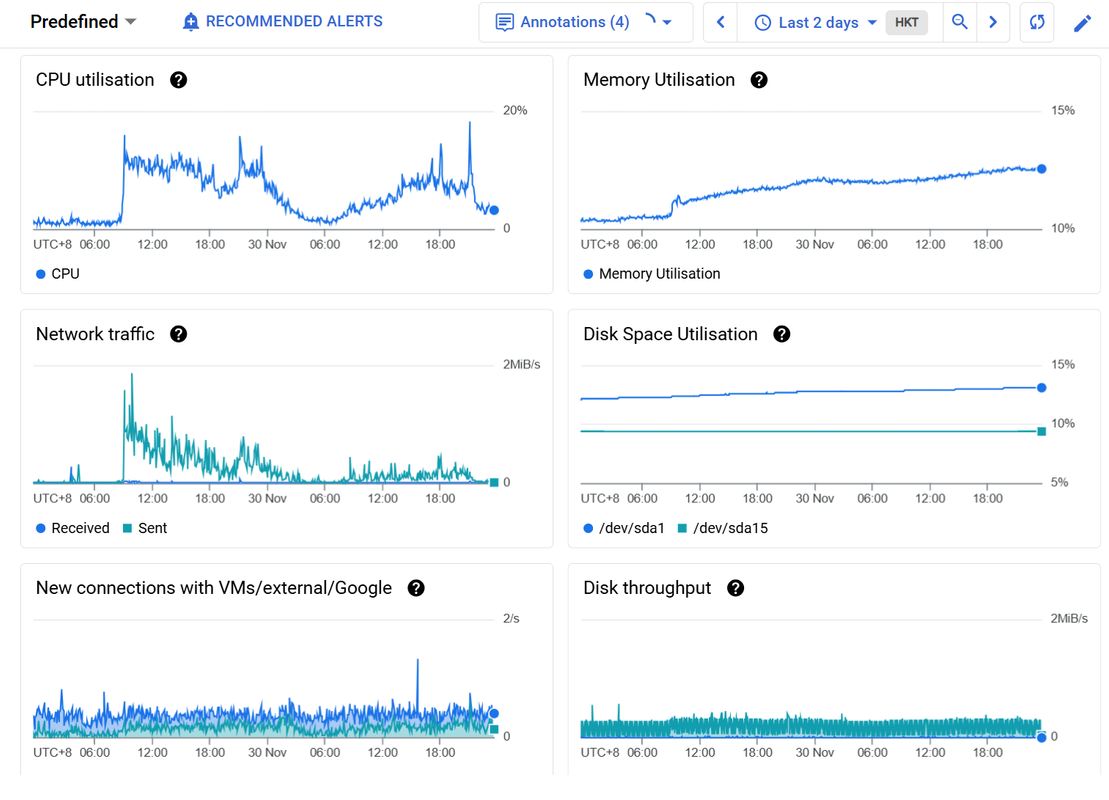
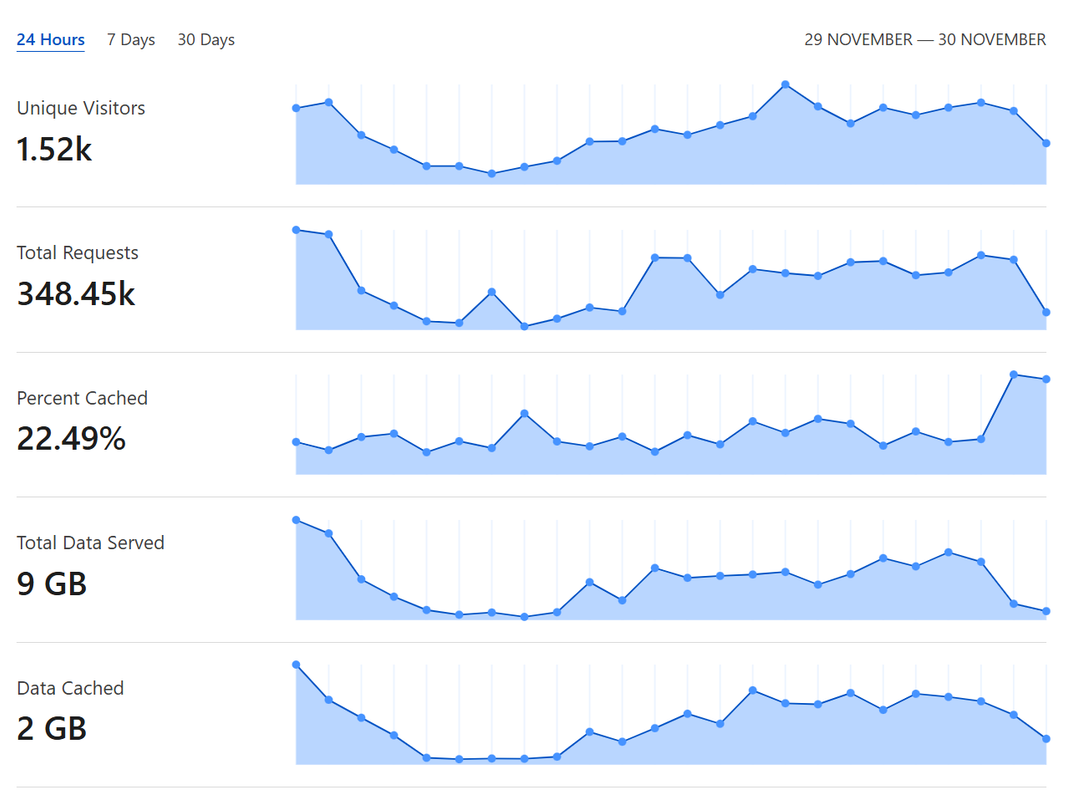
CTFd Instance Metrics throughout the 36 hours of CTF:
#### Challenges on GKE
`By czlucius`
Our automated challenge deployment system, yCTF-Deployments, is written with Pulumi IaC in TypeScript.\
It serves these purposes:
* Pulling services from the Postgres database
* Creation of GCP networks, routers, NATs, IAM service accounts, and GKE cluster, nodepool.
* Kubernetes configuration (analogous to your YAML config) for each service as Kubernetes Deployments
* Setting DNS via Cloudflare
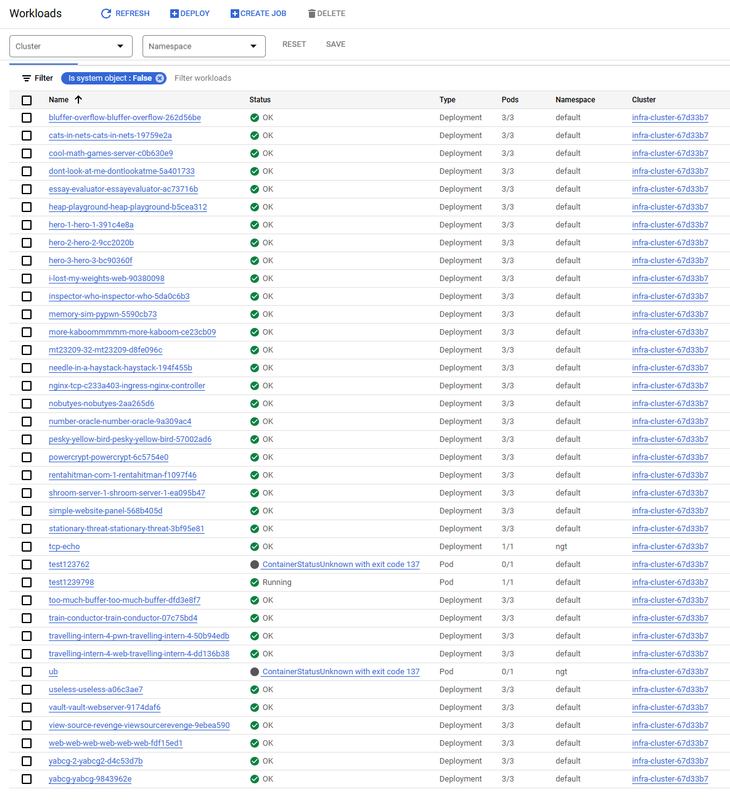
An overview of deployed services workloads on GKE:
One downside from YBN CTF 2023 is that we didn't have autoscalers for Kubernetes deployments nor horizontal instance scaling.
**Pulumi**
Pulumi is an Infrastructure as Code solution, allowing developers to describe their infrastructure in programming languages they may be familiar with (e.g. TypeScript, Python, Golang)
Since all this was done in Pulumi, it was idempotent which meant that we could run it again if we had new services/needed to change config, and it will only change the necessary config.
We had a Cloud Storage bucket which was for us to store the state of our Pulumi deployment, and this meant it can also be worked on across our team.
#### Finals & Dedicated Challenges
`By JusCodin`
Our finals had some challenges that required Remote Code Execution (RCE) in order to be solved successfully. As such, we had to create dedicated instances for these challenges for each team.
As we only had 12 teams in the finals, instead of creating a system to allow teams to start up challenges as needed, we created dedicated instances for each team that were up throughout the duration of the CTF.
We then set up the challenges with a unique ID in their subdomain name. These unique IDs were generated with a custom deterministic one-way function based on the teams' details, and we created a custom plugin for CTFd that allowed us to specify a challenge link that would redirect users to the correct team's instance.
#### Monitoring & Cloudflare
We struggled with setting up a proper monitoring system and only had the limited monitoring from GKE shown above.
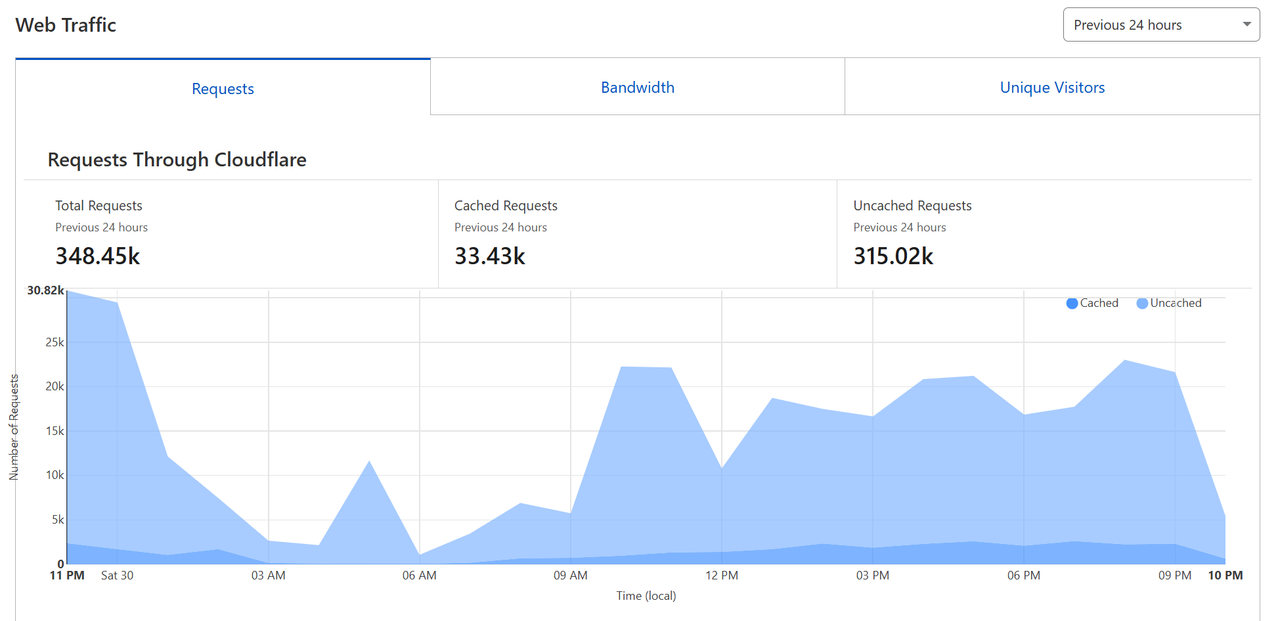
Once again, we used Cloudflare for DDoS protection. Cloudflare was able to detect and block automated scanning and enumeration attempts (SQLMap, DirBuster, etc.) which we explicitly did not allow for our CTF.
### Participants Management
Instead of using Zoho or Sendgrid previously, we used MXRoute this year. Which allowed for 100 emails/hour, enabling us to send all user credentials in a couple hours.
For certificates, we also switched to a script to generate certificates instead of manually creating them, we would die creating 300+ certs by hand. The script used Javascript libraries like pdf-lib and fontkit to add user details onto the pre-made template.
***
Check out our previous YBN CTF 2023 Blog:


 CTFd Instance Metrics throughout the 36 hours of CTF:
 ### Participants Management
Instead of using Zoho or Sendgrid previously, we used MXRoute this year. Which allowed for 100 emails/hour, enabling us to send all user credentials in a couple hours.
For certificates, we also switched to a script to generate certificates instead of manually creating them, we would die creating 300+ certs by hand. The script used Javascript libraries like pdf-lib and fontkit to add user details onto the pre-made template.
***
Check out our previous YBN CTF 2023 Blog:
### Participants Management
Instead of using Zoho or Sendgrid previously, we used MXRoute this year. Which allowed for 100 emails/hour, enabling us to send all user credentials in a couple hours.
For certificates, we also switched to a script to generate certificates instead of manually creating them, we would die creating 300+ certs by hand. The script used Javascript libraries like pdf-lib and fontkit to add user details onto the pre-made template.
***
Check out our previous YBN CTF 2023 Blog: